
How to Deactivate FAB Debit Card: Latest Guide 2026

Are you worried that someone might use your card without your permission? Quickly deactivate FAB Debit Card. This is the first step you should take when your card is lost, stolen, or misused. It keeps your money safe and stops fraud.
If you act fast, you can prevent unwanted transactions. This guide will show you all the ways to deactivate your FAB debit card in the UAE. You will also learn how to get a replacement and stay safe online.
When Should You Deactivate Your FAB Debit Card?
You should deactivate your FAB debit card in some serious situations.
- The first situation is when your card is lost or misplaced. Even if you think it is at home, it is better to block it. This prevents anyone from using your card without your permission.
- The second situation is if your card is stolen or your wallet is lost. Reporting it fast can stop fraud.
- Third situation: check your bank statements. If you see transactions you did not make, your card may have been hacked. You must deactivate it immediately.
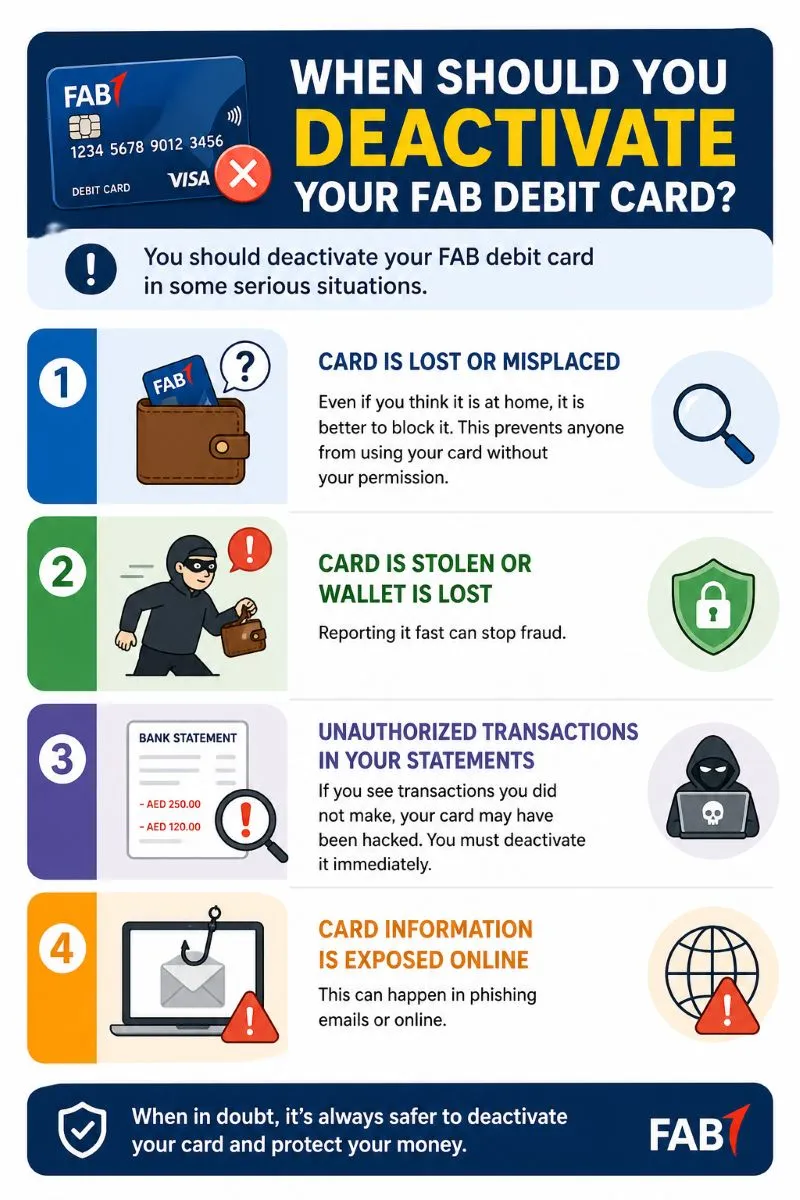
Another reason is if your card information is exposed online. This can happen in phishing emails or online scams. Damaged or broken cards also need deactivation. Some people deactivate their cards when travelling. This stops anyone from using the card if it gets lost abroad.
Deactivate Your FAB Debit Card – Easy Methods
Here are some simple and easy methods to deactivate your FAB Debit Card!
| Method | Steps Summary | Time Required | Availability |
|---|---|---|---|
| Online Banking | Log in → Card Management → Block → Confirm OTP | 2–3 minutes | 24/7 |
| Mobile Banking App | Open App → Cards → Block & Replace → Confirm OTP | 1–2 minutes | 24/7 (App Needed) |
| Call Customer Service | Call → Card Services → Security Check → Request Deactivation | 5–10 minutes | 24/7 |
| Visit FAB Branch | ID → Request Deactivation → Sign Form → Receipt | 15–30 minutes | Branch Hours |
Deactivate FAB Debit Card via Online Banking
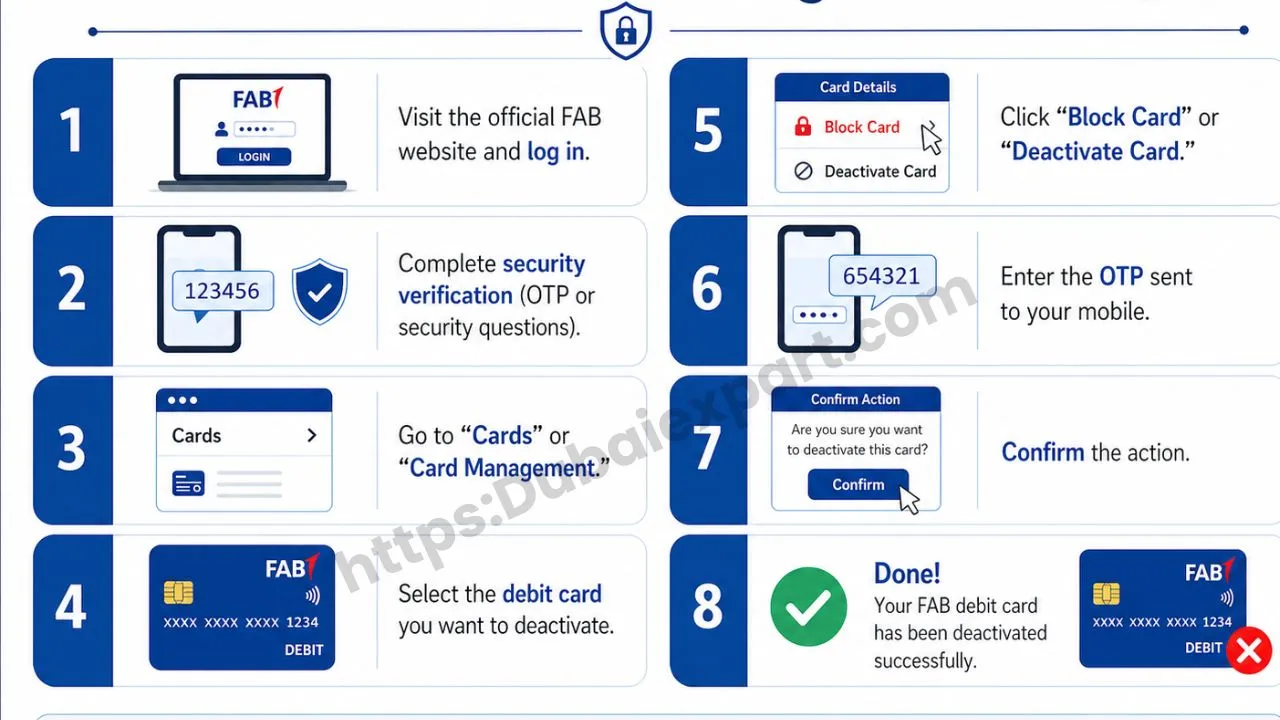
- Visit the official FAB website and log in.
- Complete security verification (OTP or security questions).
- Go to “Cards” or “Card Management.”
- Select the debit card you want to deactivate.
- Click “Block Card” or “Deactivate Card.”
- Enter the OTP sent to your mobile.
- Confirm the action.
Deactivate FAB Debit Card via Mobile Banking App
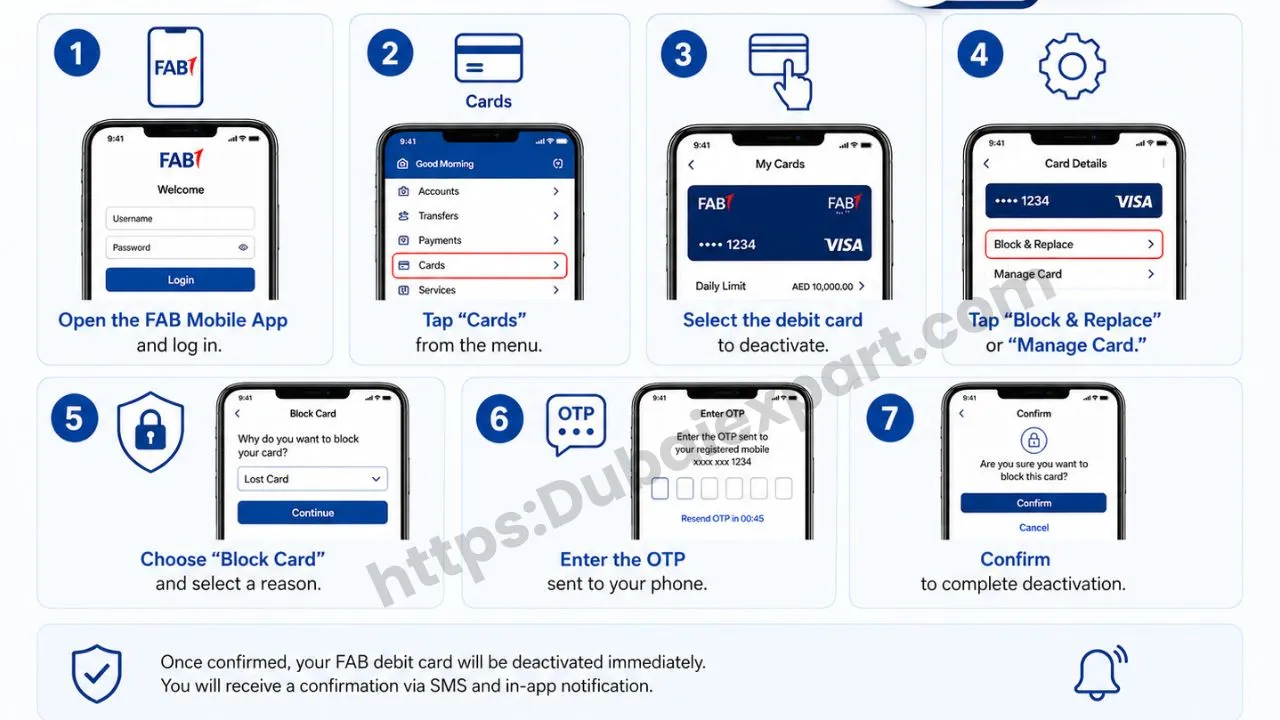
- Open the FAB Mobile App and log in.
- Tap “Cards” from the menu.
- Select the debit card to deactivate.
- Tap “Block & Replace” or “Manage Card.”
- Choose “Block Card” and select a reason.
- Enter the OTP sent to your phone.
- Confirm to complete deactivation.
Deactivate FAB Debit Card via Call Customer Service
- Dial 600 52 5500 (UAE) or +971 2 681 1511 (international).
- Select “Card Services” and wait for a representative.
- Provide the account or the last 4 digits of the card.
- Answer security questions.
- Request card deactivation.
- Note the reference number for records.
Deactivate FAB Debit Card via Visit FAB Branch
- Take your Emirates ID and account details.
- Collect a token and wait for your turn.
- Request debit card deactivation at the counter.
- Sign the deactivation form.
- Collect the acknowledgement receipt.
- Optionally request a replacement card.
What Happens After Deactivating Your FAB Debit Card
When you deactivate your card, it stops working instantly. No one can use it at ATMs or stores. Online payments will fail. Recurring payments also will not go through.
Your bank account remains active. You can still transfer money, receive a salary, check your FAB Bank balance anytime and use cheques. Other FAB cards linked to your account will work normally. You can also use the mobile app, online banking, or branch services to access funds.
Common Issues When Deactivating FAB Debit Card
- Sometimes problems happen. OTP may not arrive due to network issues. Try again or call support.
- The mobile app may not work if outdated. Update or reinstall it.
- Online banking login can fail if the password is wrong. Reset password or try another browser.
- Customer service may have long wait times during peak hours. Try early morning or evening.
- Deactivation requests may fail due to internet issues. Refresh, check card selection, or call support.
If problems continue, visit a branch for manual processing.
Checklist After Deactivating FAB Debit Card
- Deactivate the card using the chosen method
- Note confirmation/reference number
- Request a replacement card
- Monitor the account for fraud
- Enable SMS and email alerts
- Update card on websites and apps
- Destroy the old card
- Set a new PIN for the replacement card
- Test the new card with a small purchase
FAQs
1: How long does FAB debit card deactivation take?
A: It is instant. Your card stops working immediately.
2: Can I reactivate my FAB debit card after deactivating?
A: No, you need a new card.
3: Will deactivating my debit card close my account?
A: No, your bank account stays active.
4: Is there a fee to deactivate my FAB debit card?
A: No, deactivation is free.
Conclusion
Deactivate FAB Debit Card is very important if your card is lost, stolen, or misused. It protects your money. You can use online banking, mobile app, call, or branch. Follow security tips and request a replacement card. Always monitor your account. Acting fast keeps your money safe and prevents fraud.
Related Guide