
How to Activate du Tourist SIM in the UAE
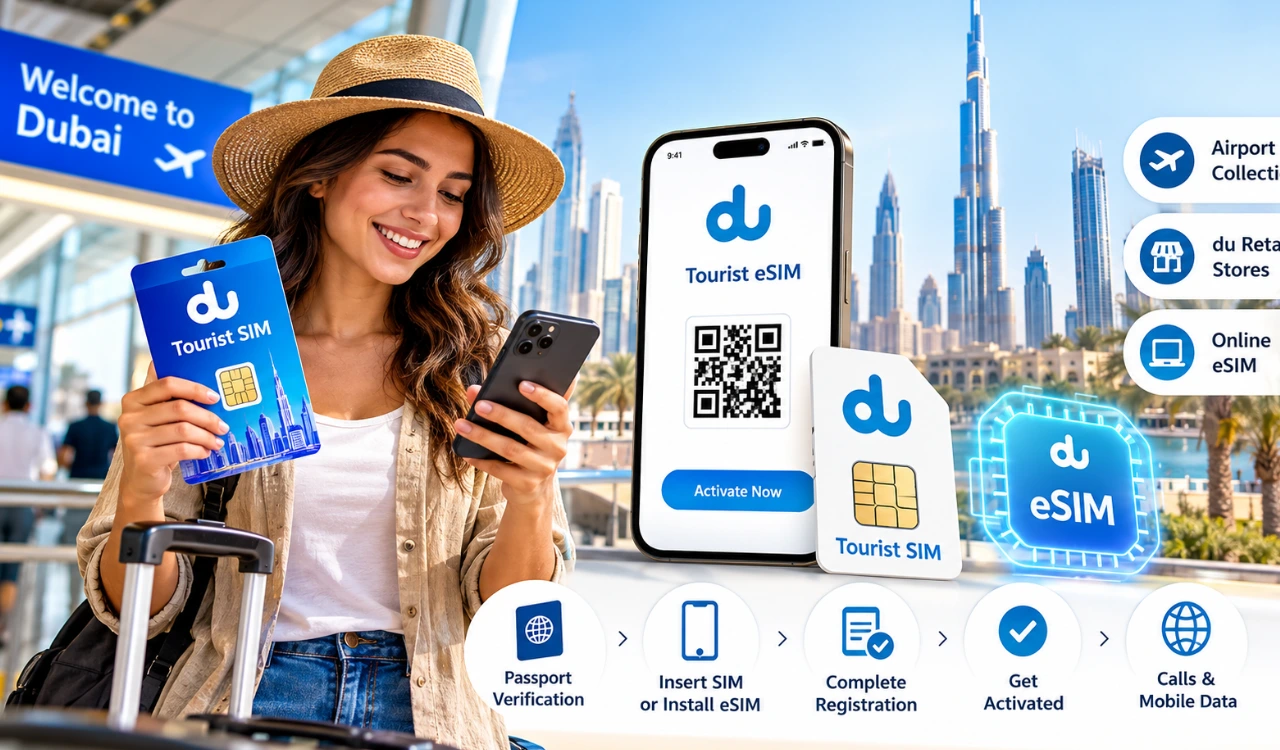
To activate a du Tourist SIM in the UAE, insert your physical SIM into an unlocked phone or set up a compatible eSIM, then complete the required identity verification. Tourists usually need their passport and may need to provide UAE entry or visa details during registration. Once du confirms activation, you can make calls and use mobile data according to your selected package. This guide explains the activation steps, online options, tourist packages, recharge methods and solutions to common activation problems.
What You Need Before Activating a du Tourist SIM
Before activating a du Tourist SIM in the UAE, keep your passport, a compatible mobile phone, and the documents requested during registration ready. Tourists use passport details for identity verification, and du may ask for UAE entry or visa information during the process.
Passport and identity documents: Keep your passport ready and provide your UAE visa or entry details if requested during registration.
Compatible mobile phone: Your phone must be unlocked to use a physical du SIM. For a tourist eSIM, check that your device supports eSIM installation.
Internet connection: Use airport Wi-Fi or another reliable connection if activation requires an online form, document scan, or eSIM download.
How to Activate a Physical du Tourist SIM
Activating a physical du Tourist SIM in the UAE involves inserting the SIM card, completing identity verification, and waiting for du to confirm registration. If you collect your SIM at Dubai International Airport, keep the SIM holder and any activation instructions provided with it.
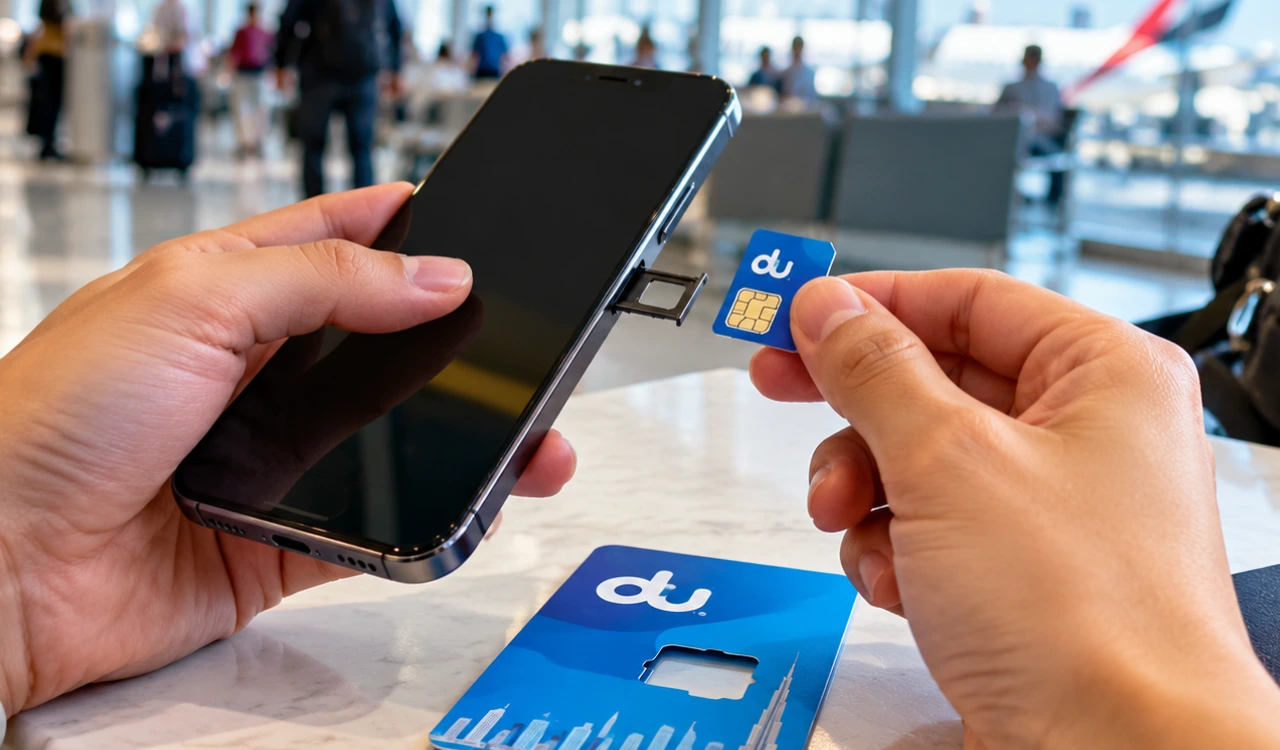
- Insert the SIM card: Switch off your phone, insert the du Tourist SIM into the SIM tray, and turn the phone back on. Make sure the card sits correctly in the tray.
- Wait for the welcome SMS: Allow your phone to connect to the du network. Check your messages for a welcome text or activation link with instructions for registering your tourist line.
- Open the activation instructions: Follow the official link or instructions supplied by du. If the process directs you to the du app or an online registration page, complete the requested steps.
- Verify your identity: Enter your details and scan your passport or other documents requested during registration. Complete any additional identity checks shown on the screen.
- Confirm activation: Follow the remaining instructions and wait for an activation confirmation SMS. If you need a paid tourist bundle, select or purchase an available package through an authorised du channel.
- Test your connection: Restart your phone if needed. Check the network signal, make a test call, and switch on mobile data to confirm that your connection works.
How to Activate a du Tourist eSIM
Just landed in the UAE and want mobile data without handling a physical SIM card? A du Tourist eSIM lets you set up your mobile connection directly on a compatible phone. You can keep your regular SIM in the device while using du for internet access during your trip.
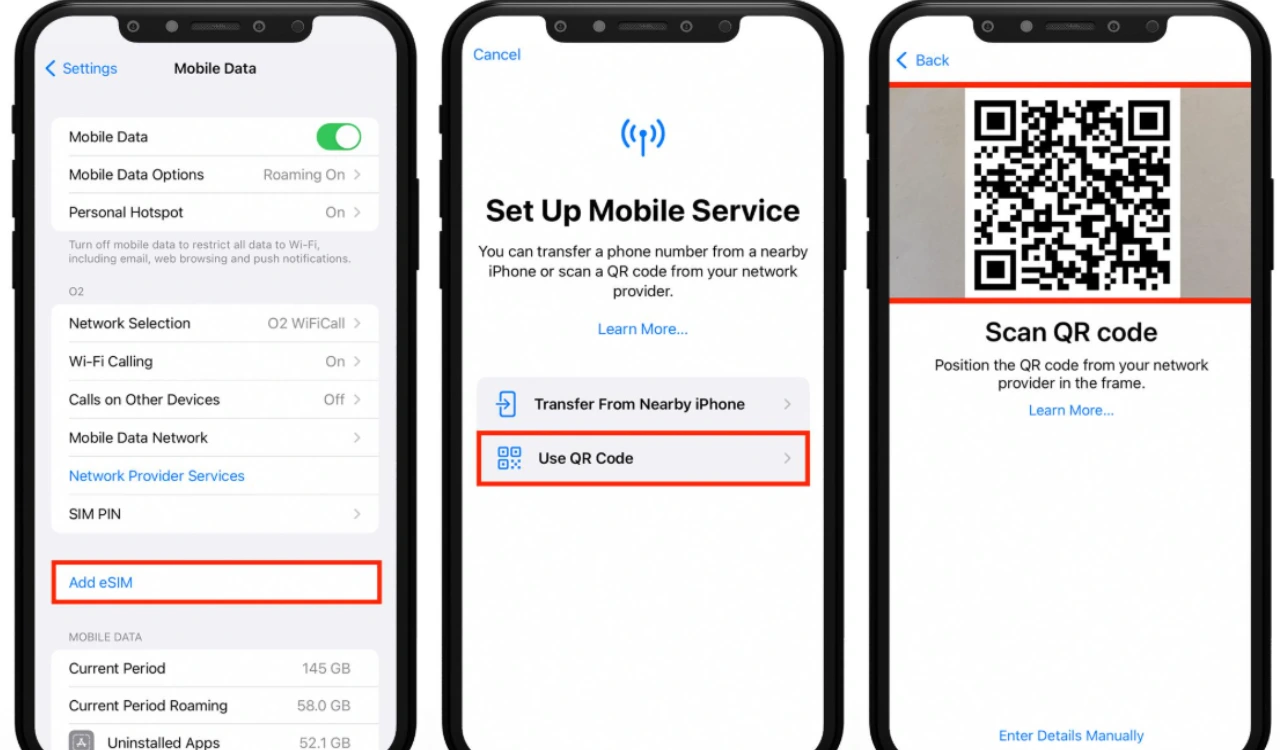
- Check your phone: Make sure your device supports eSIM and is unlocked for use with du. Look for the “Add eSIM” option in your mobile network settings.
- Open the official du website: Visit the du Tourist eSIM page and follow the instructions for the visitor eSIM offer.
- Scan the QR code: Use the QR code provided during the activation process to install the eSIM profile. Keep your phone connected to Wi-Fi if an internet connection is needed for setup.
- Complete identity verification: Follow the registration prompts and provide your passport details or other requested information. Finish any additional checks shown on your screen.
- Set du as your data line: After installation and activation, open your phone settings and choose du for mobile data. You can keep your home SIM selected for calls and messages if your device supports dual SIM.
How to Activate a du Tourist SIM Online
Want to set up your UAE mobile connection online? Visit the official du Tourist eSIM page and follow the instructions for eligible visitor offers.
If you choose an eSIM, scan the supplied QR code, install the profile on your compatible phone, and complete the requested passport verification. Keep your phone connected to Wi-Fi during setup if required.
Remember, ordering a SIM does not always mean your service is active. Ordering secures the product, installing adds the eSIM to your phone, and activation enables the mobile service after the required checks are complete. Follow du’s confirmation instructions before relying on your connection.
Where to Get a du Tourist SIM in the UAE
Visitors can get a du Tourist SIM in the UAE through airport collection points, du retail stores, or the online tourist eSIM service.
Dubai International Airport: Look for du tourist SIM collection points after arrival and keep your passport ready for registration.
du retail stores: Visit an official du store if you need a physical SIM, help with activation, or assistance choosing a tourist package.
Online tourist eSIM: Visit the official du Tourist eSIM page to explore digital activation options. Your phone must support eSIM.
Choose a physical SIM if you prefer a removable card, or an eSIM if you want to set up your connection digitally.
du Tourist SIM Data Packages, Prices and Validity
du offers a free tourist eSIM for visitors who need mobile data after arriving in the UAE. Travellers staying longer can choose paid tourist bundles with data and calling minutes, based on the available offers.
| Package detail | Current information |
|---|---|
| Free tourist eSIM | 10GB data |
| Free offer validity | 24 hours |
| Paid tourist bundles | Data and calling options available |
| Package prices | Check current prices on the official du website |
| Top-up options | Available through du’s tourist service |
The free eSIM offer gives visitors a quick way to get online, but its 10GB allowance expires after 24 hours. If your trip lasts several days, compare the paid bundles before choosing one. You can view available options on the official du Tourist eSIM page.
Remember the difference between package validity and SIM validity. Package validity tells you how long your purchased data or calling allowance lasts. SIM validity relates to how long the line remains active. Check the terms of your specific tourist plan before travelling or renewing it.
How to Recharge a du Tourist SIM
Running low on mobile data during your UAE trip? You can recharge your du Tourist SIM or buy another data package through du’s available recharge services.
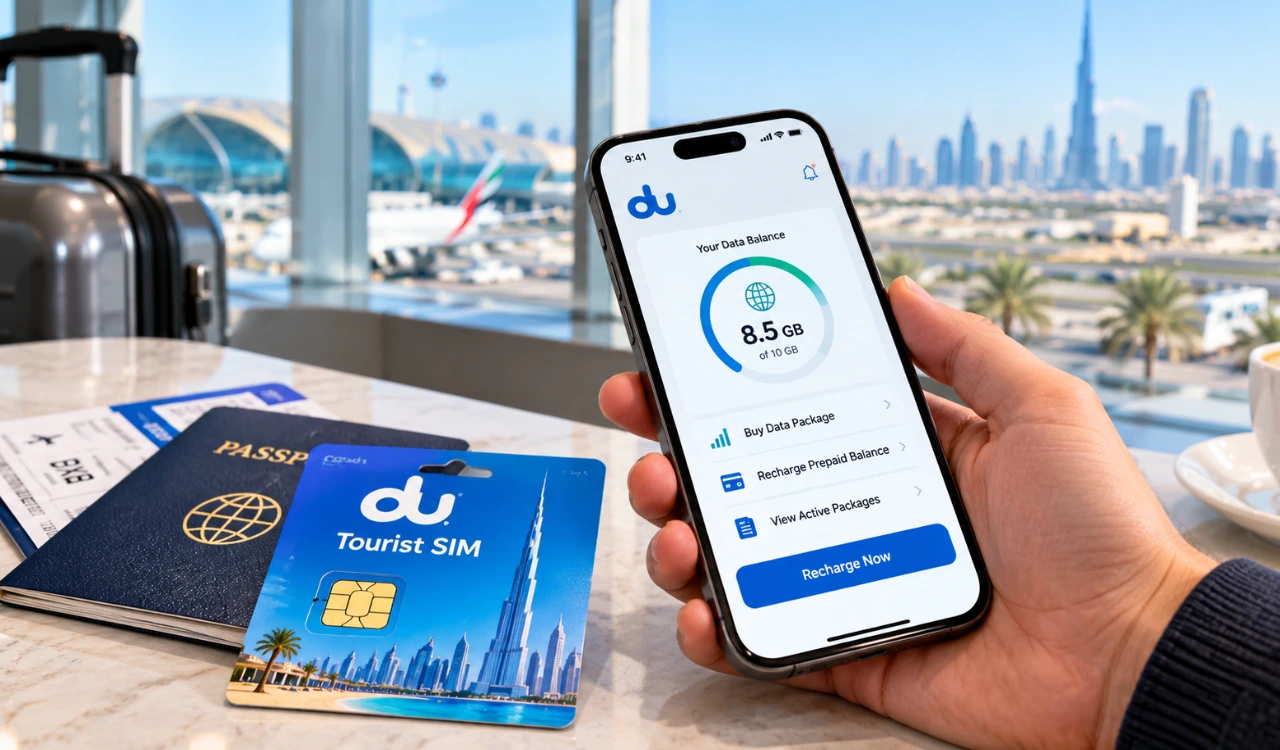
- Visit the du website: Open the official du website and look for prepaid recharge or tourist package options.
- Enter your du number: Follow the instructions to access the correct mobile line.
- Choose a recharge option: Add prepaid credit if you need balance, or select a data bundle if you mainly use mobile internet.
- Complete payment: Follow the payment instructions and wait for confirmation.
You can also use the du app or an authorised recharge outlet where supported. After payment, check your active package and remaining data.
How to Fix du Tourist SIM Activation Problems
If your du Tourist SIM is not activating, check the following common issues before seeking help.
- No activation SMS: Restart your phone and wait for the network to register. Follow the activation instructions supplied with your SIM.
- Passport verification failed: Check your details against your passport and resubmit the requested documents through the official activation process.
- No signal or mobile data: Make sure the SIM is inserted correctly, mobile data is enabled, and du is selected as your data line. Toggle airplane mode to refresh the connection.
- SIM deactivated or expired: Check your package and line status through the du app or customer support. Ask whether reactivation or a replacement SIM is available.
- Still not working? Contact du customer support or visit an official du store with your passport and SIM details.
Complete all required identity checks and wait for activation confirmation before relying on the connection. If your eSIM installation fails, follow du’s instructions before removing an existing profile.
How to Manage Your du Tourist SIM After Activation
Once your du Tourist SIM is active, open the du app to check your data balance, active package and remaining validity. If your data is running low, purchase a suitable tourist bundle before the current allowance expires. Keep track of your SIM’s validity too, especially if you plan to stay in the UAE for an extended period.
FAQS
Can I activate a du Tourist SIM online?
Yes. Eligible tourist eSIMs can be set up online through the official du Tourist eSIM page. Follow the registration instructions.
How long does activation take?
Activation can take a few minutes when registration is completed successfully. Delays can occur if identity verification remains incomplete.
Can I activate a du Tourist eSIM?
Yes. You need an unlocked, eSIM-compatible phone and must complete du’s required verification steps.
Why has my du Tourist SIM been deactivated?
Your line may have expired or require updated registration. Contact du to check its status.
How can I recharge my du Tourist SIM?
Use the du website, app, or an authorised recharge option to add credit or buy a data bundle.
How long is a du Tourist SIM valid?
Validity depends on the specific tourist offer. Check your SIM’s terms and package expiry separately before your trip.
Conclusion
Activating your du Tourist SIM in the UAE is simple when you have the required documents and follow the correct steps. Whether you choose a physical SIM or eSIM, complete identity verification and confirm your connection before travelling around the UAE. Check your data package, recharge options and SIM validity to stay connected throughout your trip.